Use ASP.NET Core hosted services to run a background task
Published: Sunday 30 January 2022
Hosted services were introduced in ASP.NET Core 3.1, and are an excellent way of running background tasks.
IServiceCollection instance and how we can use dependency injection within it.
Creating a hosted service
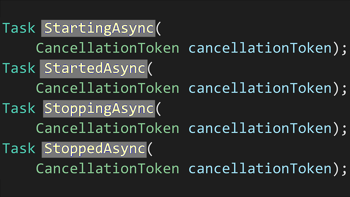
There are a couple of ways of how we can created a hosted service. The first way we can do it is to inherit the IHostedService interface. Within that, we must implement the StartAsync and StopAsync methods into our class.
using Microsoft.Extensions.Hosting;

namespace RoundTheCode.HostedServiceExample
{
	public class MyHostedService : IHostedService
	{
		public Task StartAsync(CancellationToken cancellationToken)
		{
			return Task.CompletedTask;
		}

		public Task StopAsync(CancellationToken cancellationToken)
		{
			return Task.CompletedTask;
		}
	}
}
We can then kick off our tasks in the StartAsync method. However, one thing to note is that we would have to have to fire off our tasks as separate tasks using Task.Run.
StartAsync method, the task would never complete. A ASP.NET Core web application relies on the StartAsync method to complete before it can start the web application.
StartAsync without delaying the web application from launching.
using Microsoft.Extensions.Hosting;

namespace RoundTheCode.HostedServiceExample
{
	public class MyHostedService : IHostedService
	{
		public Task StartAsync(CancellationToken cancellationToken)
		{
			Task.Run(async () =>
			{
				while (!cancellationToken.IsCancellationRequested)
				{
					await Task.Delay(new TimeSpan(0, 0, 5)); // 5 second delay
				}
			});

			return Task.CompletedTask;
		}

		public Task StopAsync(CancellationToken cancellationToken)
		{
			return Task.CompletedTask;
		}
	}
}
Inheriting the BackgroundService class
The alternative is to inherit the BackgroundService class. The BackgroundService class is an abstract class that also inherits the IHostedService interface.
StartAsync or StopAsync methods. However, if we wish override them, we can do that.
ExecuteAsync. As it's an abstract method, we have to override it into our background service.
using Microsoft.Extensions.Hosting;

namespace RoundTheCode.HostedServiceExample
{
	public class MyBackgroundService : BackgroundService
	{
		protected override Task ExecuteAsync(CancellationToken stoppingToken)
		{
			return Task.CompletedTask;
		}
	}
}
And unlike running a task in StartAsync, we don't have to run a separate task and risk the web application not starting. We can make the ExecuteAsync task asynchronous by using the async modifier, and run our task within it.
using Microsoft.Extensions.Hosting;

namespace RoundTheCode.HostedServiceExample
{
	public class MyBackgroundService : BackgroundService
	{
		protected override async Task ExecuteAsync(CancellationToken stoppingToken)
		{
			await Task.CompletedTask;
		}
	}
}
Add the hosted service to IServiceCollection
When configuring services, there is an extension method called AddHostedService in the IServiceCollection interface.
AddHostedService extension method is expecting a class that inherits IHostedService, we don't specify the interface when adding the hosted service.
Startup.cs file, which will be the case if using .NET 5 or lower, it can be added using the IServiceCollection type parameter that is passed into the ConfigureServices method.
namespace RoundTheCode.HostedServiceExample
{
	public class Startup
	{
		public Startup(IConfiguration configuration)
		{
			Configuration = configuration;
		}

		public IConfiguration Configuration { get; }

		// This method gets called by the runtime. Use this method to add services to the container.
		public void ConfigureServices(IServiceCollection services)
		{
			// Add dependency injection.
			services.AddHostedService<MyBackgroundService>();

			...
		}

		// This method gets called by the runtime. Use this method to configure the HTTP request pipeline.
		public void Configure(IApplicationBuilder app, IWebHostEnvironment env)
		{
			...
		}
	}
}
If the web application is using .NET 6 and was created using the .NET 6 template, then we can add in the Program.cs file like this:
var builder = WebApplication.CreateBuilder(args);

// Add services to the container.
builder.Services.AddHostedService<MyBackgroundService();

var app = builder.Build();

...

app.Run();
Which ever template is being used, the hosted service will work in the same way.
How dependency injection works
Hosted services are added to the DI container using the singleton service lifetime. As a result, it can only resolve singleton and transient service lifetime classes that are injected into it.
IServiceProvider instance into the hosted service. Within that interface, we can use the CreateScope method to create a new scope instance. From there, we can use our new scope instance to resolve a scoped service into our background task.
using Microsoft.Extensions.DependencyInjection;
using Microsoft.Extensions.Hosting;

namespace RoundTheCode.HostedServiceExample
{
	public class MyBackgroundService : BackgroundService
	{
		private readonly IServiceProvider _serviceProvider;
		public MyBackgroundService(IServiceProvider serviceProvider)
		{
			_serviceProvider = serviceProvider;
		}

		protected override async Task ExecuteAsync(CancellationToken cancellationToken)
		{
			while (!cancellationToken.IsCancellationRequested)
			{
				using (var scope = _serviceProvider.CreateScope())
				{
					var myScopedService = scope.ServiceProvider.GetRequiredService<IMyScopedService>();
				}

				await Task.Delay(new TimeSpan(0, 1, 0));
			}
		}
	}
}
See how a hosted service works
Check out our video where we demonstrate how an hosted service works in ASP.NET Core web application. Learn how to create and configure a hosted service and how it behaves with dependency injection.
In addition, download the code example of using a hosted service in .NET 6.
Worker Service template
Should a background service be in an ASP.NET Core web application? It's good if we need to feed data to all users of the website. However, if a background service has performance issues, it can affect the web application's stability.
Related tutorials