
Minimal APIs: Fix missing OpenAPI response documentation

Most developers miss this when building Minimal APIs - and it silently breaks their OpenAPI documentation.
The scenario
Take this Minimal API endpoint:
// Program.cs
app.MapProductsEndpoints();
// ProductsEndpoints.cs
public static class ProductsEndpoints
{
extension(WebApplication app)
{
public WebApplication MapProductsEndpoints()
{
var group = app.MapGroup("/api/products");
group.MapGet("{id}", GetProduct);
return app;
}
}
public async static Task<IResult> GetProduct(
int id,
IProductService productService)
{
var product = await productService.GetProductAsync(id);
if (product == null)
{
return Results.NotFound();
}
return Results.Ok(product);
}
}The GetProduct endpoint handler gets a product by calling GetProductAsync in the ProductService.
This returns a GetProductDto type.
// GetProductDto.cs
public record GetProductDto(int Id, string Name);
If null is returned, the product cannot be found and the endpoint returns 404 Not Found.
If a product is found, it returns 200 OK with the product instance.
This works, but when you look at the OpenAPI documentation, something is missing.
It only documents that the endpoint might return 200 OK. It does not include the response schema, nor does it document 404 Not Found.
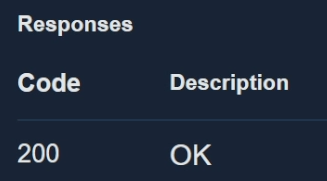
This is because the return type for the method is Task<IResult>.
How to add expected return types
This is something that is covered in my Minimal APIs for complete beginners course, where we build endpoints with correct OpenAPI documentation.
If you expect your endpoint to return only one response type, you can make the endpoint handler return that type directly.
In this example, we have changed the return type from Task<IResult> to Task<GetProductDto?> and just returned the call from await productService.GetProductAsync(id) .
// ProductsEndpoints
...
public async static Task<GetProductDto?> GetProduct(
	int id,
	IProductService productService)
{
	return await productService.GetProductAsync(id);
}
With this change, the documentation will specify 200 OK as an expected result and include the response schema.
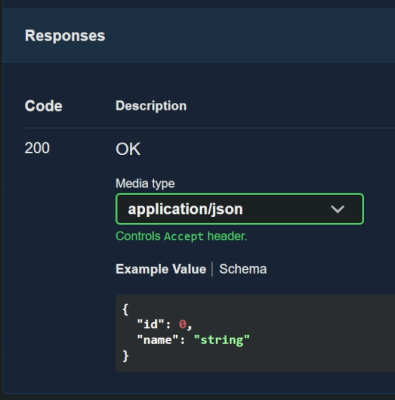
However, it still doesn't document 404 Not Found.
Using TypedResults
The solution is to use TypedResults.
When using TypedResults, you explicitly specify the possible response types. In this case, GetProduct can return either:
Ok<GetProductDto>NotFound
// ProductsEndpoints
...
public async static Task<Results<Ok<GetProductDto>, NotFound>> GetProduct(
	int id,
	IProductService productService)
{
	var product = await productService.GetProductAsync(id);

	if (product == null)
	{
		return TypedResults.NotFound();
	}

	return TypedResults.Ok(product);
}
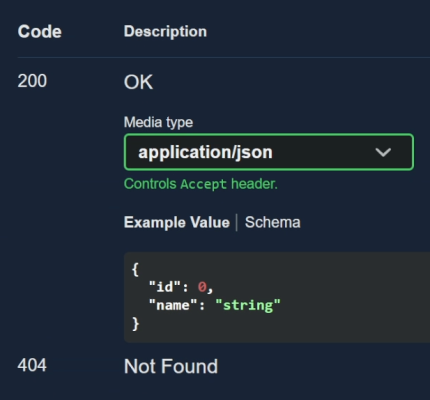
Now both response types are correctly documented in OpenAPI.
Using other response codes
You can also document other response codes.
In this example, we are creating a product and returning 204 No Content when the operation succeeds.
// ProductsEndpoints.cs
public static class ProductsEndpoints
{
	extension(WebApplication app)
	{
		public WebApplication MapProductsEndpoints()
		{
			var group = app.MapGroup("/api/products");

			...
			group.MapPost("/", CreateProduct);

			return app;
		}
	}

	public async static Task<NoContent> CreateProduct(
		CreateProductDto createProduct,
		IProductService productService)
	{
		await productService.CreateProductAsync(createProduct);

		return TypedResults.NoContent();
	}
}
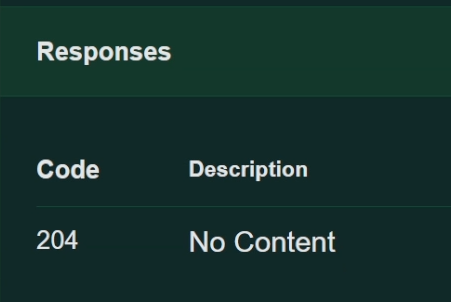
This adds 204 No Content to the OpenAPI documentation.
This works fine, but in the CreateProductDto type we have marked Name as [Required].
// CreateProductDto.cs
public class CreateProductDto
{
	[Required]
	public string Name { get; set; } = string.Empty;
}
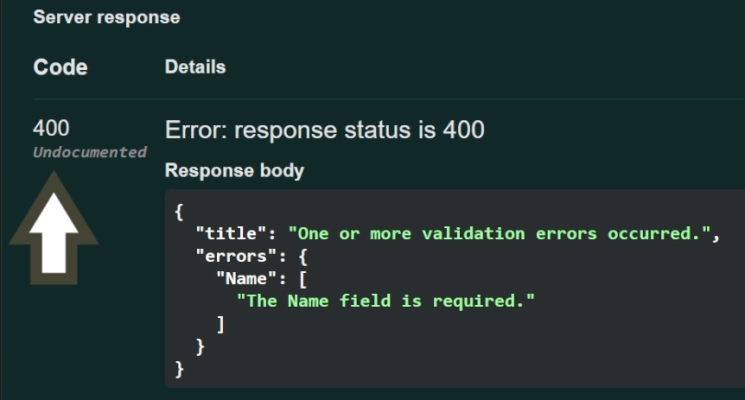
If we call the endpoint but fail to specify the name in the body, it returns 400 Bad Request, which is currently undocumented.
Add response types when registering the endpoint
To solve this, you can add additional response types when registering the endpoint handler.
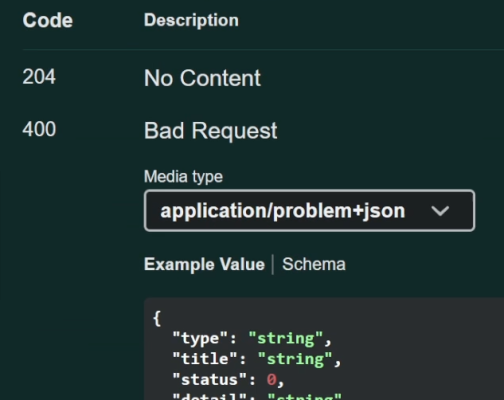
To document validation errors, use ProducesValidationProblem with an optional status code.
// ProductsEndpoints.cs
group.MapPost("/", CreateProduct)
	.ProducesValidationProblem(StatusCodes.Status400BadRequest);
If you do not specify a status code, 400 Bad Request is used by default.
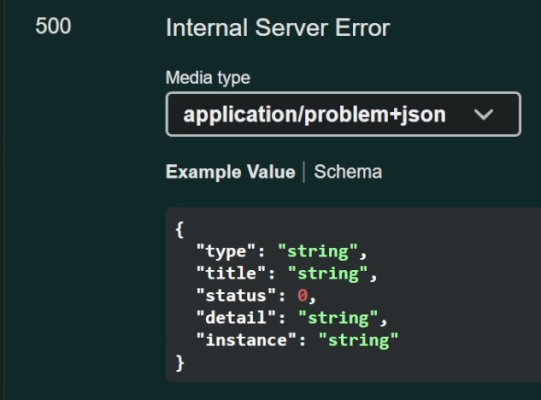
There is also ProducesProblem, which requires a status code. Here we add 500 Internal Server Error.
group.MapPost("/", CreateProduct)
	.ProducesValidationProblem(StatusCodes.Status400BadRequest)
	.ProducesProblem(StatusCodes.Status500InternalServerError);
Now these expected status codes are included in the OpenAPI documentation.
Other descriptions
You can also add a summary and description to the OpenAPI documentation for each endpoint using WithSummary and WithDescription.
// ProductsEndpoints.cs
group.MapPost("/", CreateProduct)
	.ProducesValidationProblem(StatusCodes.Status400BadRequest)
	.ProducesProblem(StatusCodes.Status500InternalServerError)
	.WithSummary("Creates a product")
	.WithDescription("Creates a product in the database");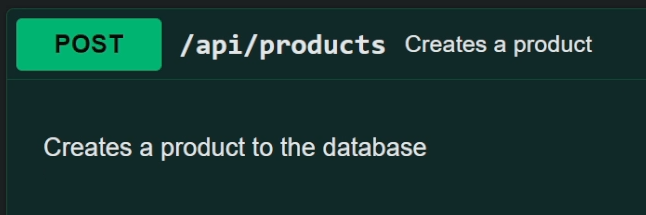
Watch the video
Watch the video where we show how to add expected response types to OpenAPI documentation using TypedResults and endpoint registration methods.
Related tutorials

