
Stripe .NET checkout example to add online payments

Download our ASP.NET Core Stripe checkout example so you can accept online payments with your web application.
The example uses the Stripe.net NuGet package which is added to an ASP.NET Core Web API endpoint.
There are also static HTML pages which has a product page that allows you to buy a product and a confirmation page.
Software
This is the software that will need to be installed onto your machine.
- Visual Studio 2022. Version 17.10.2 or above. It will work with the free community version.
- .NET 8 SDK. Version 8.0.6 or above.
Get the application working
You'll need to fill out the code example form. We will send you an email where you can download the code example.
Sign up for a Stripe account
You'll also need to sign up for a Stripe account so you can get an API key to use this project.
Follow this video which shows you how to sign up for a Stripe account.
Get a Stripe API key
Once you've signed up for Stripe, you'll need to login to your account.
In the top-right hand corner, ensure that Test mode is turned on. This ensures that only test payments are made and that no real money changes hands.
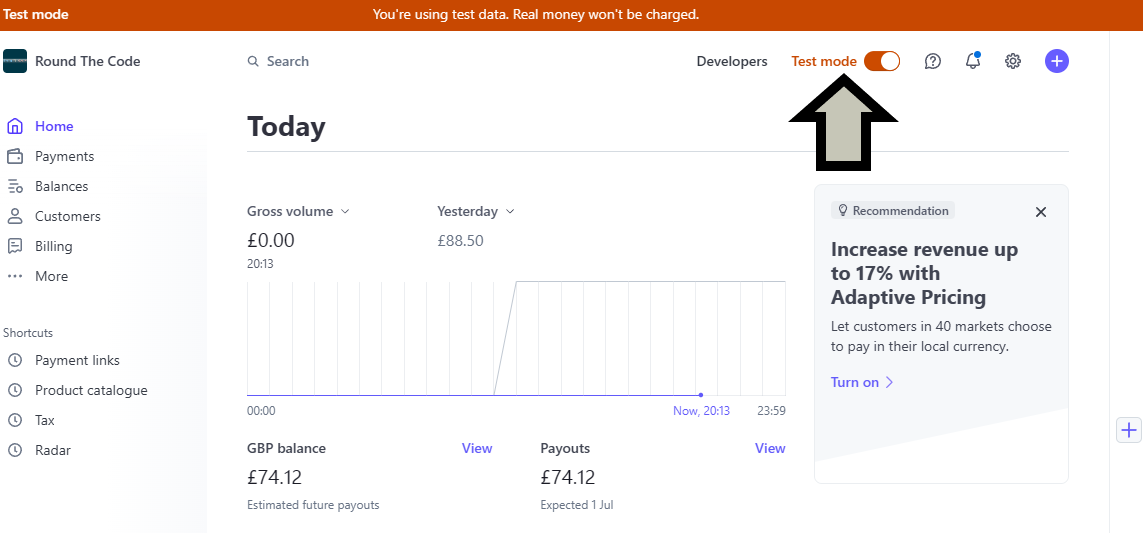
Afterwards, click on the Developers link to the left-hand side of it.
Select the API keys tab and you'll need to reveal the Secret key. Click on it to copy.
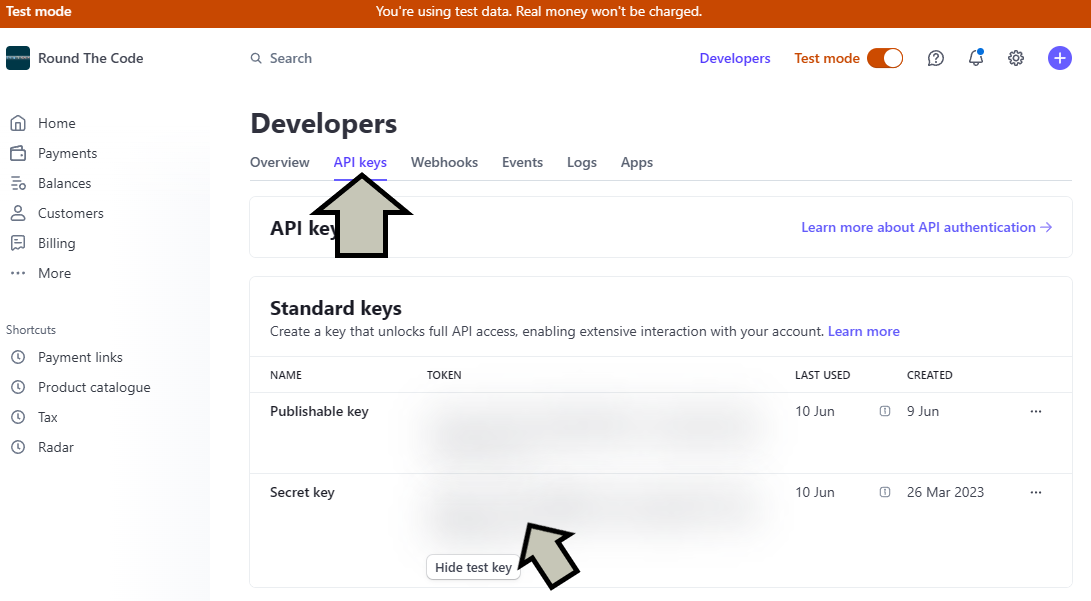
Paste the Stripe API key into your appsettings.Development.json file inside the Stripe:ApiKey key replacing YOUR_STRIPE_API_KEY_HERE.
Open the project in Visual Studio
Open up RoundTheCode.Stripe.sln in Visual Studio 2022.
Start the project in Visual Studio. It will load up https://localhost:9602.
Assuming you've added the API key to appsettings.Development.json, it will redirect you to the Stripe online payment page once you've added an email address.
Useful Stripe links
More information
Watch our video where we show you how to integrate Stripe into your .NET project using the Stripe.net NuGet package.
In-addition, read our tutorial for more information on how to add it.
Download this code example
Enter your email and we'll send you a download link.
Related pages

Download this code example
Enter your email and we'll send you a download link.