
JWT authentication in ASP.NET Core

JWT stands for JSON Web Token and can be used for security as part of the Client Credentials grant type in the OAuth 2.0 Framework.
This flow involves authenticating the client using Basic authentication then generating an access token which can be used as a HTTP request by adding a Bearer token to the Authorization header.
What's included?
The code sample will give you the functionality to add JWT authentication into an ASP.NET Core Web API. As a bonus, it has the DLL file for our Basic authentication sample as a reference meaning that Basic authentication can be used when generating a JWT.
As well as including the functionality to generate a JWT, the configuration has been setup and it allows you to change the issuer, audience and signing key through the appsettings.json file when generating an access token.
In-addition, Swagger has been configured to accept Basic and JWT authentication meaning that endpoints can be tested in that way.
Watch our video to see what files are included, how we implemented the functionality and how we tested it.
In addition, you can read more about JWT authentication and how you can decode a token to get the fields in the payload data.
This code example has been updated to .NET 8.
The order process
When you purchase the code example, you'll be given a ZIP file that contains all the code files that you can download and extract onto your machine.
Simply add your e-mail address to the form below, agree to the terms and conditions, and you'll be redirected to our payment provider to take payment.
On successful payment, our payment provider will redirect you to a page where you can download the ZIP file. A link to download the ZIP file will also be emailed to you.
Software
This is the software that will need to be installed onto your machine.
- Visual Studio 2022. Version 17.9.4 or above. It will work with the free community version.
- .NET 8 SDK. Version 8.0.4 or above.
Open the project in Visual Studio
Open up RoundTheCode.JwtBearer.sln in Visual Studio. The start up project should be set to RoundTheCode.JwtBearer.WebApi which is the ASP.NET Core Web API.
Start the application, and your browser should open up to https://localhost:9904 with the Swagger documentation.
Generate a JWT
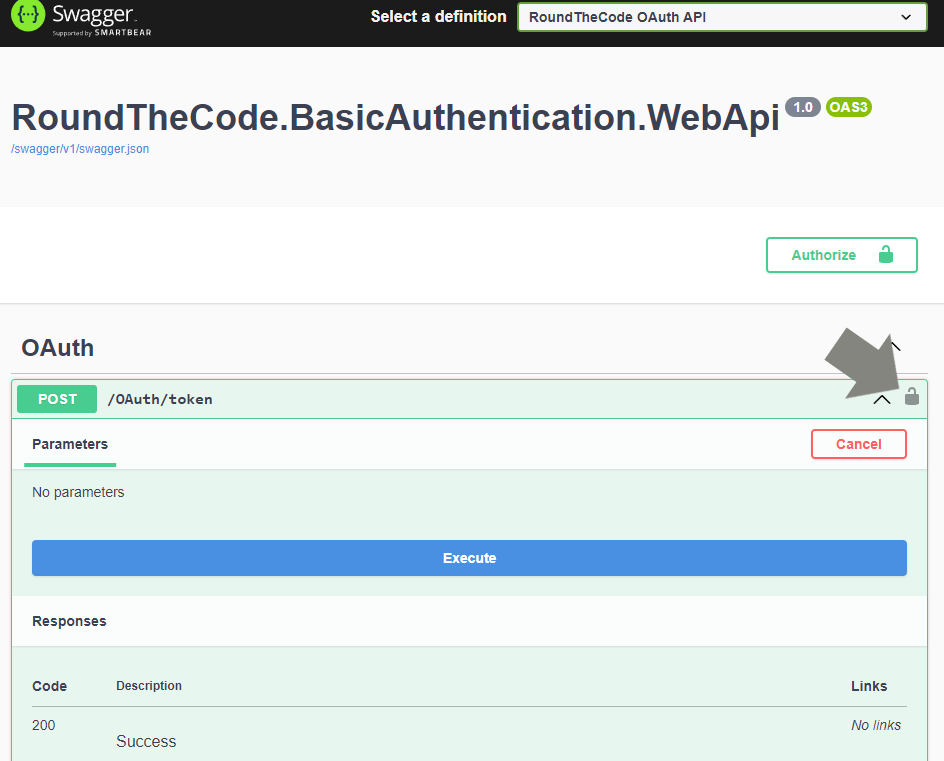
The /OAuth/token endpoint allows you to generate a JWT. However, you'll need to add Basic authentication to the request.
In Swagger, click on the padlock icon.
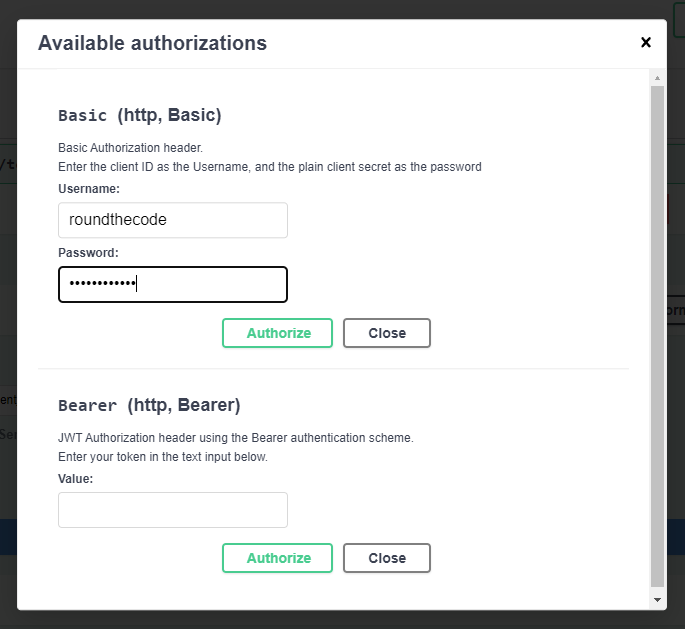
Add both the username and password as roundthecode and press the Authorize button.
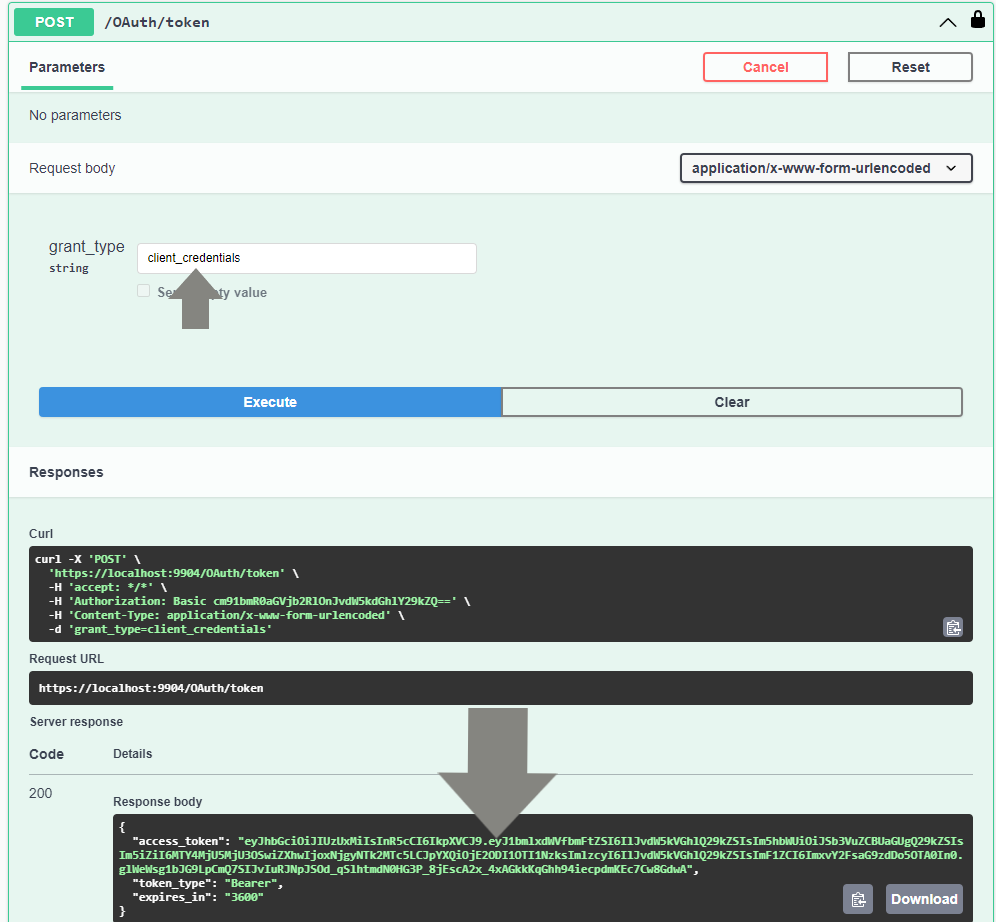
Ensure that the grant_type is set as client_credentials and execute the endpoint. An access token is generated.
Use the JWT in an API endpoint
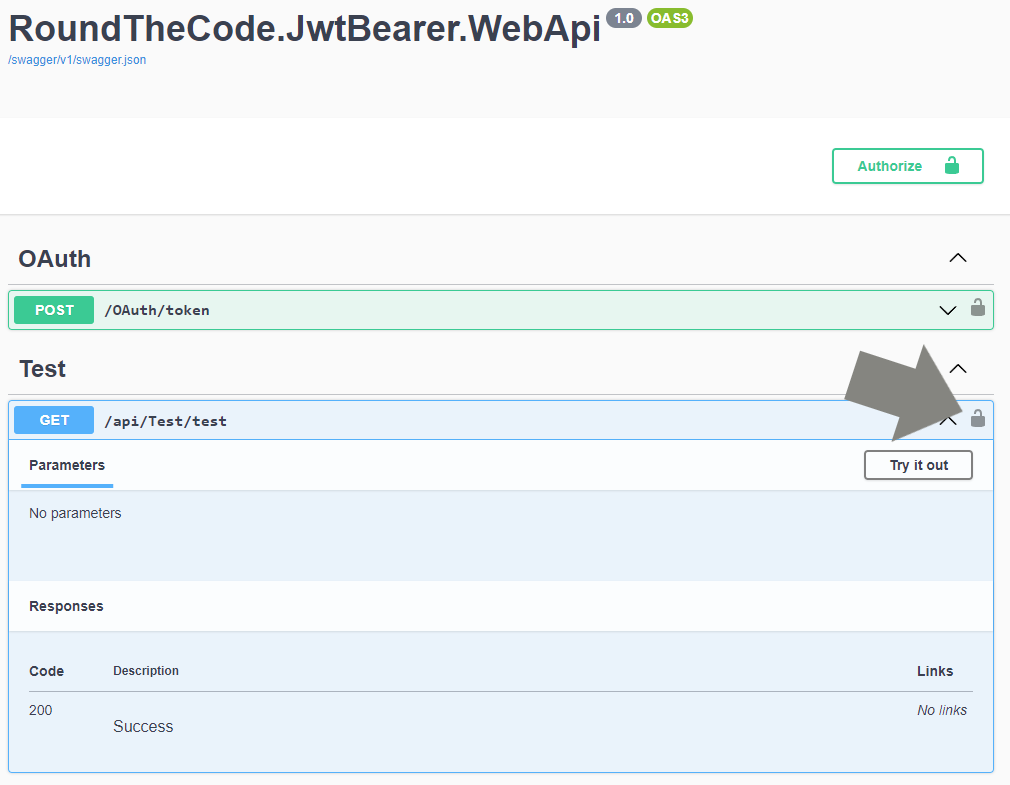
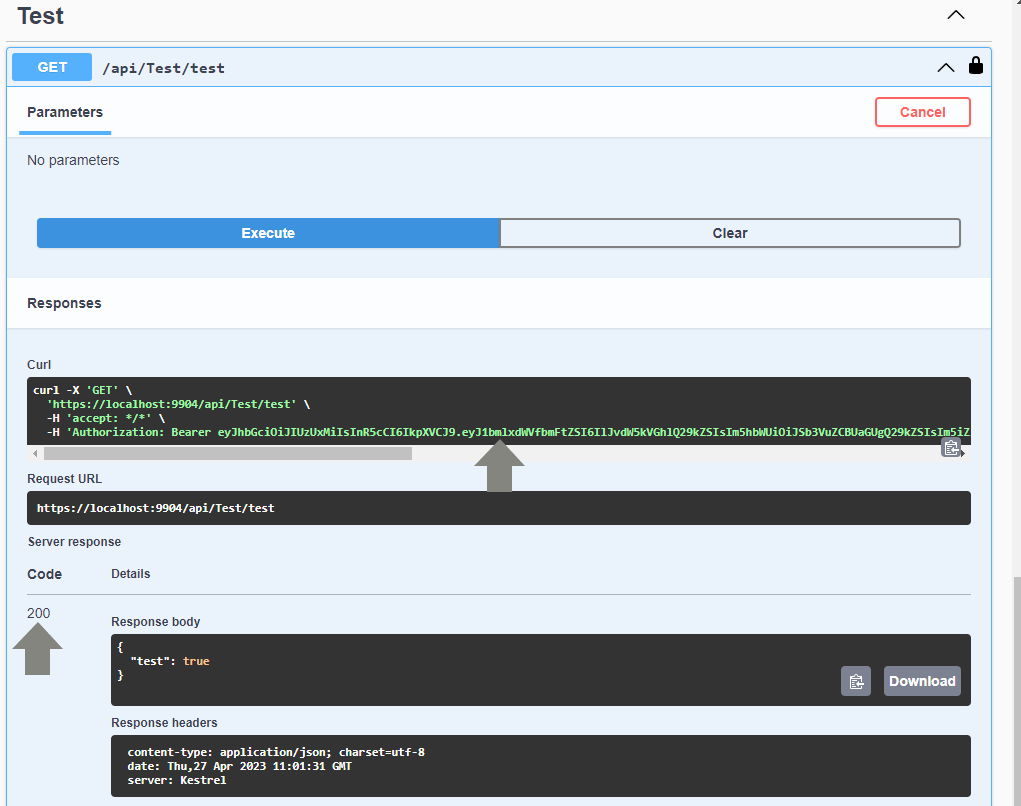
The /api/Test/test endpoint has been created to test the JWT authentication against a HTTP request. If you request it without adding an access token, it should return a 401 Unauthorized error code as the response.
To add an access token, click on the padlock icon.
Underneath the Bearer section, copy the value from the access_token field that you generated from the /OAuth/token endpoint and click on the Authorize button.
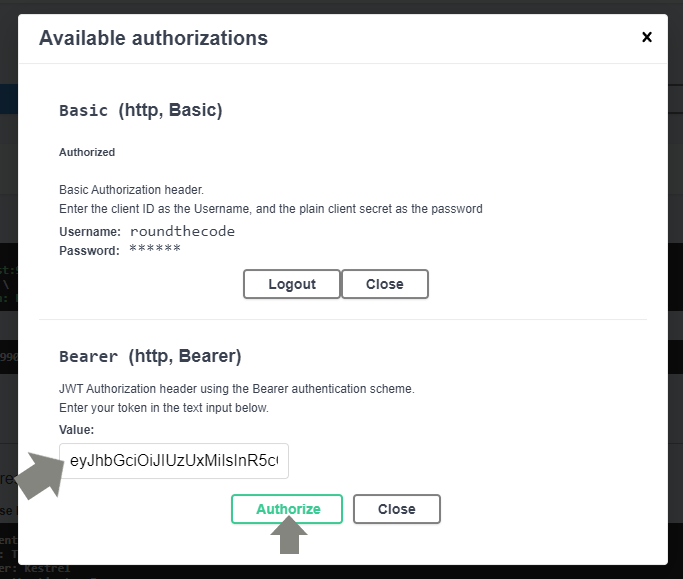
Close down the modal. When running the /api/Test/test endpoint, it should add the token as a Bearer to the HTTP request and return a 200 response.
Download this code example
Enter your email and we'll send you a download link.
Related pages

Download this code example
Enter your email and we'll send you a download link.