
What is middleware in ASP.NET Core and the gotchas

You've heard of middleware in ASP.NET Core, but don't really know what it is. This tutorial will show you what middleware is, how to write your own, and the gotchas that can catch developers out.
Writing your first middleware
You add middleware in Program.cs using app.Use.
// Program.cs
app.Use(async (context, next) =>
{
	Console.WriteLine($"Request: {context.Request.Path}");
	await next(context);
	Console.WriteLine($"Response: {context.Response.StatusCode}");
});
Middleware runs on every HTTP request. Every request passes through it on the way in, and the response passes back through it on the way out.
The call to next is very important. This gets the next middleware in the pipeline. If you forget to add it, the rest of the pipeline never runs, and any middleware registered below it will never run either.
The problem with this approach is that it uses a lambda statement, which makes it difficult to unit test. There's a better way, which is to move it into its own class.
Add middleware to a class
// RequestLoggingMiddleware.cs
public class RequestLoggingMiddleware
{
	private readonly RequestDelegate _next;

	public RequestLoggingMiddleware(RequestDelegate next) =>
		_next = next;

	public async Task InvokeAsync(HttpContext context)
	{
		Console.WriteLine($"Request: {context.Request.Path}");
		await _next(context);
		Console.WriteLine($"Response: {context.Response.StatusCode}");
	}
}
You must remember to inject next into the constructor, so you can use it to get the next middleware in the pipeline.
You then register it in Program.cs, and you can remove the app.Use version since the class replaces it.
// Program.cs
// START - This can be removed
app.Use(async (context, next) =>
{
	Console.WriteLine($"Request: {context.Request.Path}");
	await next(context);
	Console.WriteLine($"Response: {context.Response.StatusCode}");
});
// END - This can be removed

// Register custom middleware
app.UseMiddleware<RequestLoggingMiddleware>();
If you don't register it, the middleware will never run.
Forgetting to call next
The ordering of middleware in Program.cs matters. Because we registered RequestLoggingMiddleware first, it will run the request first and output the response last.
// Program.cs
app.UseMiddleware<RequestLoggingMiddleware>(); // THIS RUNS FIRST

// Map Minimal API endpoints
app.MapMinimalApiEndpoints();

// Configure the HTTP request pipeline.
if (app.Environment.IsDevelopment())
{
	app.UseSwaggerUI(options =>
	{
		options.SwaggerEndpoint("/openapi/v1.json", "Api");
	});
	app.MapOpenApi();
}
// MinimalApiEndpoints.cs
public static class MinimalApiEndpoints
{
extension (WebApplication app)
{
public WebApplication MapMinimalApiEndpoints()
{
var group = app.MapGroup("/api");
group.MapGet("test", Test);
return app;
}
}
public static ContentHttpResult Test()
=> TypedResults.Content("This is a test", "text/plain");
}Now comment out _next in RequestLoggingMiddleware.
// RequestLoggingMiddleware.cs
public class RequestLoggingMiddleware
{
	...
	public async Task InvokeAsync(HttpContext context)
	{
		Console.WriteLine($"Request: {context.Request.Path}");
		//await _next(context);
		Console.WriteLine($"Response: {context.Response.StatusCode}");
	}
}
Run the application, and the page doesn't load.
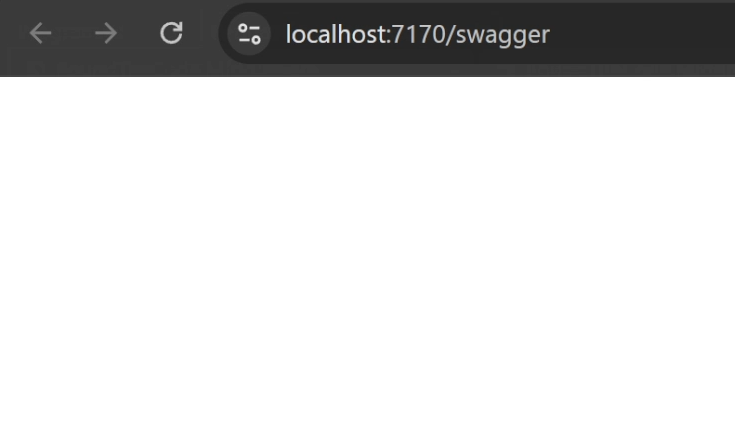
Run the API endpoint in Postman, and instead of "This is a test", it returns a 200 response that is empty.
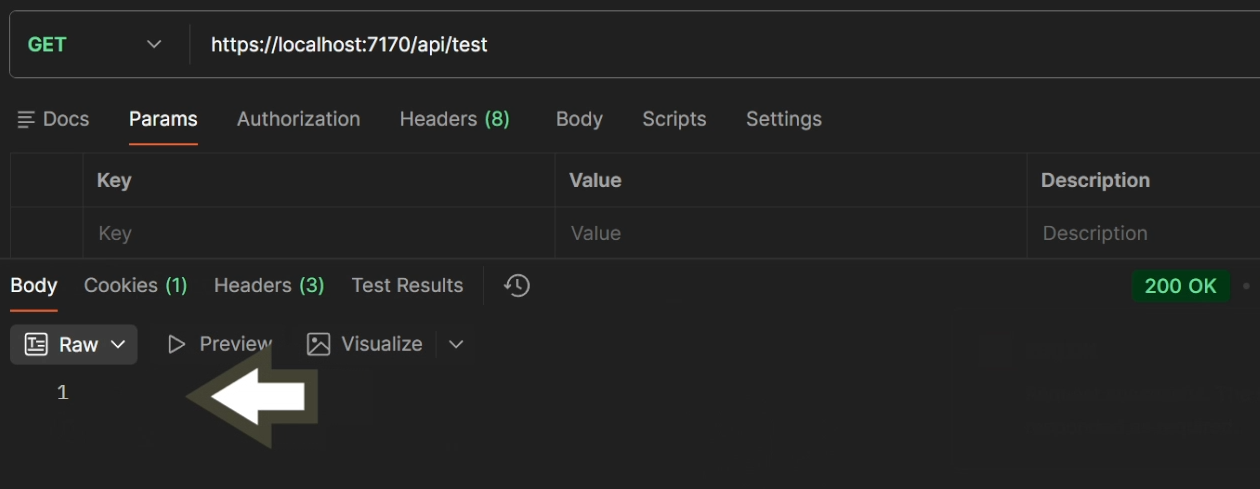
This happens because RequestLoggingMiddleware is registered first. Once it stops short of calling next, none of the middleware registered after it, including the Minimal API endpoints and Swagger, ever run. The fix is to add next back in to RequestLoggingMiddleware.cs.
Middleware is a singleton, InvokeAsync is scoped
Register a scoped service in Program.cs.
// Program.cs
builder.Services.AddScoped<IMyScopedService, MyScopedService>();
Now inject it into the constructor of RequestLoggingMiddleware.
// RequestLoggingMiddleware.cs
public class RequestLoggingMiddleware
{
	...
	public RequestLoggingMiddleware(
		RequestDelegate next,
		IMyScopedService myScopedService) {

		...

	}

	...
}
Run the application, and you get this error:
Cannot resolve scoped service 'IMyScopedService' from root providerThis happens because UseMiddleware constructs your middleware class once, using the application's root service provider, and reuses that same instance for every request. A scoped service can't be resolved directly from the root provider.
The fix is to move IMyScopedService out of the constructor and inject it into InvokeAsync instead.
// RequestLoggingMiddleware.cs
public class RequestLoggingMiddleware
{
	private readonly RequestDelegate _next;

	public RequestLoggingMiddleware(RequestDelegate next)
	{
		_next = next;
	}

	public async Task InvokeAsync(
		HttpContext context,
		IMyScopedService myScopedService) // Inject it here
	{
		Console.WriteLine($"Request: {context.Request.Path}");
		await _next(context);
		Console.WriteLine($"Response: {context.Response.StatusCode}");
	}
}
InvokeAsync runs fresh per request, so ASP.NET Core resolves IMyScopedService from the current request's scope every time.
Changing the response after it has started
Another issue is changing the response after it has already started. Here, the middleware updates the response code after the call to next returns.
// RequestLoggingMiddleware.cs
public class RequestLoggingMiddleware
{
	private readonly RequestDelegate _next;

	public RequestLoggingMiddleware(RequestDelegate next) =>
		_next = next;

	public async Task InvokeAsync(HttpContext context)
	{
		Console.WriteLine($"Request: {context.Request.Path}");
		await _next(context);

		// CHANGES THE STATUS CODE AND RESPONSE
		context.Response.StatusCode = StatusCodes.Status503ServiceUnavailable;
		await context.Response.WriteAsync("<p>This page is currently unavailable</p>");

		Console.WriteLine($"Response: {context.Response.StatusCode}");
	}
}
This throws an exception:
System.InvalidOperationException: StatusCode cannot be set because the response has already started.Once the response has started, you can't change the status code or write to it again. What you can do is hook into it just before it starts, using context.Response.OnStarting.
// RequestLoggingMiddleware.cs
public class RequestLoggingMiddleware
{
	private readonly RequestDelegate _next;
	private bool MaintenancePage => true;

	public RequestLoggingMiddleware(RequestDelegate next)
	{
		_next = next;
	}

	public async Task InvokeAsync(HttpContext context)
	{
		Console.WriteLine($"Request: {context.Request.Path}");

		context.Response.OnStarting(async() =>
		{
			if (context.Response.HasStarted)
			{
				return;
			}

			if (MaintenancePage)
			{
				context.Response.StatusCode = StatusCodes.Status503ServiceUnavailable;
				await context.Response.WriteAsync("<p>This page is currently unavailable</p>");
			}
		});

		await _next(context);
		Console.WriteLine($"Response: {context.Response.StatusCode}");
	}
}
Inside OnStarting, you check HasStarted first, and return early if it's already true. Otherwise, with MaintenancePage set to true, the response outputs that the page is currently unavailable.
Holding on to scoped services after they've completed
Another gotcha is holding on to a scoped service once the response has completed.
// MyScopedService.cs
public class MyScopedService : IMyScopedService, IDisposable
{
	public bool Disposed { get; private set; }

	public void Test()
	{
		_logger.LogInformation(
			"MyScopedService.Test() runs successfully");
	}

	public void Dispose()
	{
		Disposed = true;
	}
}
Add an OnCompleted delegate to the middleware, and create a new background task to run after a 5 second delay.
public class RequestLoggingMiddleware
{
    ...

    public async Task InvokeAsync(HttpContext context, IMyScopedService myScopedService)
    {
        _logger.LogInformation($"Request: {context.Request.Path}");
        ...
        context.Response.OnCompleted(() =>
        {
            var _ = Task.Run(async() =>
            {
                await Task.Delay(TimeSpan.FromSeconds(5));

                try
                {
                    myScopedService.Test();
                }
                catch (Exception ex)
                {
                    _logger.LogError(ex, ex.Message);
                }
            });

            return Task.CompletedTask;
        });

        ...
    }
}
This runs, and on the face of it everything looks fine. The page renders correctly, and the log files show MyScopedService.Test() running for every request. But there's a hidden failure mode here, depending on how you use it.
The problem is that once the response completes, the scoped service is already disposed as it was injected in InvokeAsync. To show this, add a check to MyScopedService that throws when it's already disposed.
// MyScopedService.cs
public class MyScopedService : IMyScopedService, IDisposable
{
	...

	public void Test()
	{
		ObjectDisposedException.ThrowIf(Disposed, this); // Add this line.
		_logger.LogInformation(
			"MyScopedService.Test() runs successfully");
	}
	...
}
The page still renders fine, but the log files now show the exception:
Cannot access a disposed object.The safer way to handle this is to create a new scope for this kind of background work, rather than reusing the scoped instance from the request.
// RequestLoggingMiddleware.cs
public class RequestLoggingMiddleware
{
	...

	public async Task InvokeAsync(
		HttpContext context,
		IMyScopedService myScopedService)
	{
		...
		context.Response.OnCompleted(() =>
		{
			var _ = Task.Run(async() =>
			{
				// Create a new scope
				using var scope = _serviceScopeFactory.CreateScope();
				var myScopedService = scope.ServiceProvider.GetRequiredService<IMyScopedService>();

				await Task.Delay(TimeSpan.FromSeconds(5));

				try
				{
					myScopedService.Test();
				}
				catch (Exception ex)
				{
					_logger.LogError(ex, ex.Message);
				}
				_logger.LogInformation("Task completed");
			});

			return Task.CompletedTask;
		});

		await _next(context);
		...
	}
}
By injecting IServiceScopeFactory into the middleware and creating a new scope inside the background task, myScopedService now resolves from that new scope rather than the one tied to the original request, so it's no longer disposed by the time the delayed work runs.
Watch the video
Watch the video where we go through each of these middleware gotchas in an ASP.NET Core project, including forgetting to call next, injecting scoped services incorrectly, changing the response after it starts, and holding on to scoped services after they've completed.
Related tutorials

